Devices for remote reading systems
Take full control of your measurement data and billing
Discover the products that will help you optimise your data readings

Get accurate meter readings and speed up billing to customers with wireless meter reading.
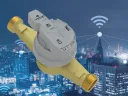
Upgrade your existing water supply network by retrofitting water meters with modules that enable remote reading and alarm functions, or opt for integrated water meters with an ultrasonic measuring system.
Opt for uninterrupted data transmission, eliminating the risk of disruptions and the need for service-related battery replacement in the modules.
Streamline your data management and accounting processes using our proprietary systems

Simplify the reading of measurement data and eliminate the risk of errors
Find out how our solutions can help you optimise your costs
New additions to our range
HUB-WMBUS
A wireless M-Bus signal hub designed to collect and manage data from multiple devices in remote reading systems.


Choose the most accurate meter readings and fair billing for your customers
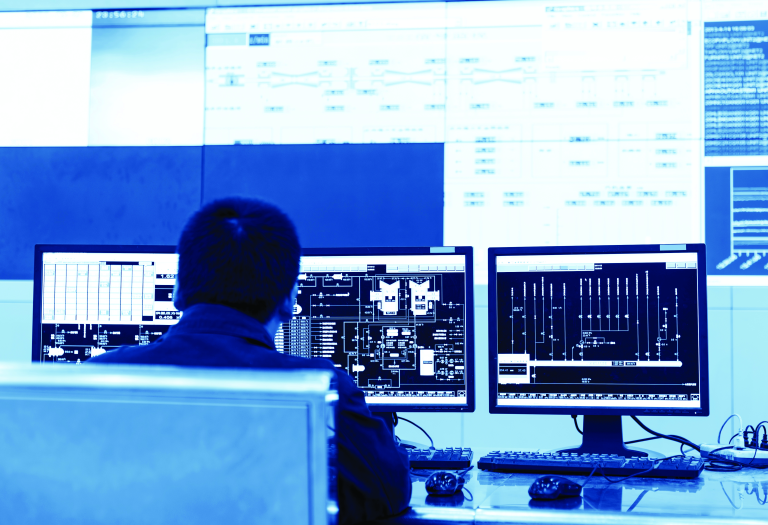


Download materials
Frequently Asked Questions
Yes. A dedicated programme called Inkasent PC and the SPIDAP app have been developed for reading Apator Powogaz meters, enabling remote meter reading.
Yes. Neither wireless nor wired remote reading poses a health risk. This is confirmed by the declarations of conformity issued for radio communication modules by the manufacturer in accordance with specific European Directives and harmonised standards.
Thanks to their two operating modes, the readers allow readings to be taken at any time. However, it should be noted that most Apator Powogaz overlays have two operating modes in their pre-loaded profiles, which significantly affects the speed at which readings are obtained. There are two modes: normal mode and economy mode, which helps to conserve battery life.
For example: the AT-WMBUS-16-2 overlay in normal mode transmits between 6am and 6pm from Monday to Friday with a reading frequency of 80 seconds. During other hours and at weekends, it transmits in economy mode with a reading frequency of every 300 seconds.
Below is a sample list of various overlays along with their specified operating modes:
| Overlay | AT-WMBUS-16 | APT-O3A-1 | |
|---|---|---|---|
| Entity | Co-operative Housing | Waterworks | Housing Housing |
| Normal mode [s] | 80 | 30 | 33 |
| Economy mode [s] | 300 | 1200 | 384 |
| Normal mode hours | 6.00 am – 6.00 pm | 6.00 am – 5.00 pm | 6.00 am – 6.00 pm |
| Normal opening days | Mon–Fri | Mon–Fri | Mon–Fri |
| Days of the month in normal mode | 1–31 | 1–31 | 1–31 |
| Months in normal mode | all | all | all |
A 14-day licence means that it is not possible to verify the purchase of your existing licence with Apator Powogaz SA. Please contact the ServiceDesk (support.powogaz@apator.com) or use the form available at: https://helpdesk.apator.com/plugins/servlet/theme/portal/3/create/25. There you will receive a template licence agreement, and your account manager will confirm the licence agreement for the old system, with the new licence being treated as an addendum. If you do not have the old licence agreement, please contact your sales representative at Apator Powogaz SA regarding commercial matters.
To download the SPIDAP app, please log in to the sonar-engine.powogaz.info portal, where you can download the latest version of the app as well as the Inkasent software. If, despite this, you are unable to download the software and the app, please contact the ServiceDesk by email (support.powogaz@apator.com) or via the form available at: https://helpdesk.apator.com/plugins/servlet/theme/portal/3/create/25
a) make sure mobile data is enabled on your phone;
b) go to settings and search for ‘allow installation from unknown sources’; enable this setting;
c) if you cannot install the .apk file on your device, you should install a helper app from the Google Play Store, e.g.“APK Mirror”; in this app, search for the downloaded .apk file inthe “Downloads”folder and selectthe “Install Packages”option.
a) check that your phone’s data connection is enabled;
b) follow the password recovery process;
c) if the above steps are unsuccessful, contact the ServiceDesk by email (support.powogaz@apator.com) or via the form available at https://helpdesk.apator.com/plugins/servlet/theme/portal/3/create/25 to check whether the system has correctly assigned your permissions.
a) check for updates;
b) uninstall and reinstall the application;
c) to verify, check the licence duration on the SPIDAP Server portal using the super user account;
d) if the above steps are unsuccessful, contact the ServiceDesk by email (support.powogaz@apator.com) or via the form available at: https://helpdesk.apator.com/plugins/servlet/theme/portal/3/create/25 to check the licence expiry date or permissions if you are unsure.
You must convert the route structure from v2 to v3. To do this, open the existing database structure in Inkasent PC v3, select the import file, and then save the database structure by changing the file extension (Save As -> Save As Type – select version 3).
Please go to the GPS settings and selectthe ‘Improve accuracy’option. Please check that Wi-Fi and Bluetooth are turned on.
a) check whether the encryption keys have been uploaded for the imported route;
b) re-upload the structure, adding the encryption keys, then recreate the route and upload it to the mobile terminal;
c) contact your account manager to verify your encryption keys;
d) if the above steps are unsuccessful, contact ServiceDesk by submitting a fault report via the application, attaching the address structure (SPIDAP PC), the routes.sqlite file and the imported key database.
a) check that the encryption keys are correct;
b) if the device number has been changed en route, you must update the encryption keys;
c) contact your account manager to verify your encryption keys;
d) if the above steps are unsuccessful, contact the ServiceDesk by email (support.powogaz@apator.com) or via the form available at: https://helpdesk.apator.com/plugins/servlet/theme/portal/3/create/25 by submitting a fault report from within the app, including the address structure (from Inkasent PC3), the routes.sqlite file and the imported key database;
e) check whether previous readings from the same tag numbers have been deleted from other routes on this mobile device; if not, delete the previous readings.
a) make sure the device is in transmission mode;
b) wake the device and complete the installation by entering the reading from the water meters;
c) if the above steps do not work, please contact the complaints department and your account manager.
a) to use the application in offline mode, the first login must be performed whilst connected to the internet in order to verify the credentials of the user who will be using the application;
b) the offline launch counter is reset each time an online connection is established during credential verification;
c) if the user wishes to close the application but continue using offline launches, they should close the application using the‘close’button;
d) offline mode allows the application to function when the device is not connected to the internet (SIM card, Wi-Fi);
e) offline mode is essential for the app to function when, despite having a SIM card with data enabled, we lose network coverage;
f) the offline launch counter is displayed in the top right-hand corner of the app;
g) the maximum number of offline launches is 15; once this limit is exceeded, the app can only resume online operation following verification of credentials (see point b).
This app has been designed for use with Apator Powogaz products. We assume no responsibility for the use of our apps when reading data from devices manufactured by other companies.
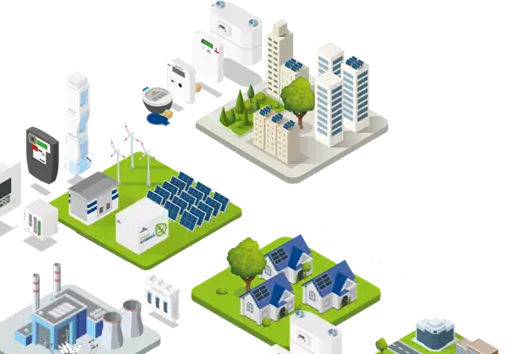
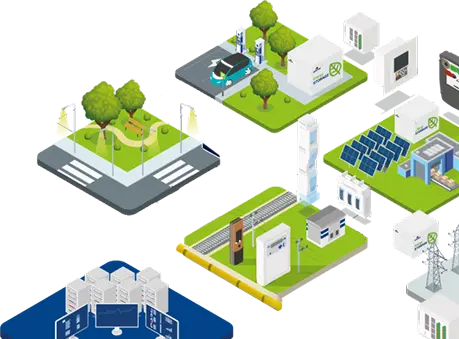
Invest in accurate data readings and reduce operating costs
Shorten billing cycles and response times to faults
What are the benefits of implementing a remote reading system?
A modern data reading system significantly streamlines the process of collecting and conducting analyses of information from water meters, heat meters and heat cost allocators. Thanks to automatic data transmission, there is no need for manual readings. This reduces labour costs and eliminates the risk of human error. Building owners and managers gain easy access to accurate data, enabling faster detection of faults or irregularities in utility consumption.
Remote reading systems also help to optimise energy and water consumption, increasing the efficiency of resource management. Thanks to continuous monitoring of meter readings, you can generate clear reports, forecast utility consumption and bill end-users more easily. This solution delivers real savings in time, money and resources for organisations such as local authorities, housing associations and industrial plants.
Wired or wireless meter reading system – which one to choose?
The choice between a wired system and a wireless system depends primarily on the type of facility and the investment objectives.
- A wired system (M-Bus) is a solution designed for commercial and public buildings that require frequent meter readings for control purposes. Its main advantage is high stability and fast data transmission. Due to the need to build a transmission network, this solution is most effectively implemented in new-build properties, where the installation can be planned at the design stage.
- A wireless system is a solution for reading large numbers of dispersed metering devices. It is the ideal choice where the construction of a wired system would be impractical or impossible, e.g. when modernising existing buildings and in hard-to-reach locations. Technologies such as LoRaWAN, NB-IoT and Wireless M-Bus ensure long-range reading (wide transmission range) and low energy consumption.